Export Deleted Issues
The Export feature lets you download a deleted issue snapshot as a structured file. Use it for compliance reporting, external audits, integration with BI tools, or simply to have a permanent record outside of the app.
Export formats
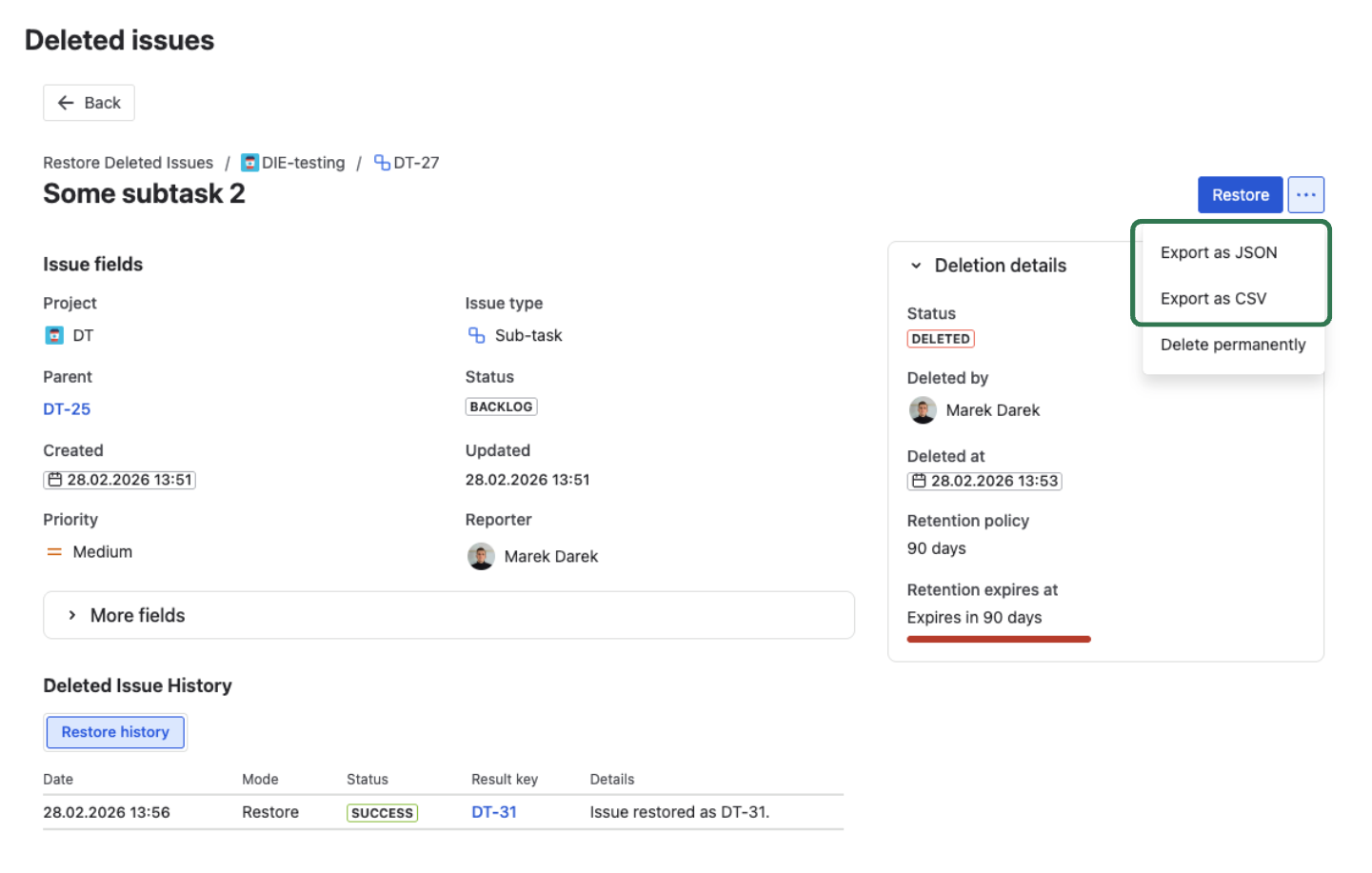
JSON — best for full data export, API integrations, and BI pipelines Complete snapshot including all fields, description, comments, restore history, and metadata.
CSV — best for compliance reports, spreadsheets, and quick analysis Flat view with key, summary, issue type, status, priority, project, deleted by, deletion date, and custom fields.
How to export
- Open the deleted issue record from the Deleted Issues list.
- Click Export in the detail view header.
- Select the format — JSON or CSV.
- The file downloads to your browser immediately.
Export is logged
Every export is recorded in two places:
- Export History in the record's detail view — shows who exported, when, in which format, and the filename.
- Audit Trail — a permanent, immutable
EXPORT_ISSUEentry with full actor and timestamp information.
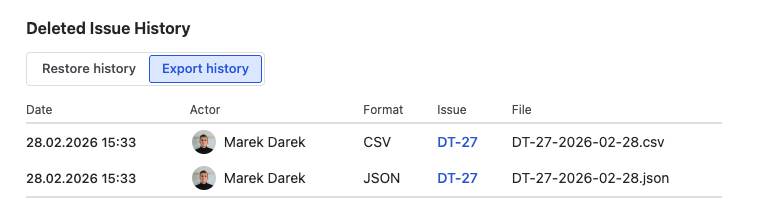
This means exports are traceable — useful for demonstrating to auditors that specific data was reviewed or preserved.
Use cases
Compliance and audit evidence Export the snapshot before its retention period expires to preserve the data permanently outside the app. JSON format provides the most complete record.
Handover after restore After restoring an issue, export the original snapshot as a reference document — useful if the restored issue needs manual review or enrichment.
BI and analytics Export multiple records as CSV and import them into your analytics tool for custom reporting on deletion patterns, issue types, or team activity.
Legal hold For issues under investigation or legal hold, export the snapshot immediately to preserve the data independently of the app's retention policy.
What's next?
- Restore an Issue — recover an issue instead of exporting
- Audit Trail — review export history and other logged events
- Retention Policy — understand how long records are kept