Retention Policy
The Retention Policy defines how long the app keeps data before automatically removing it. Configuring the right period protects you from losing snapshots you still need.
Required: Manage deleted issue backups permission (granted to Jira Administrators by default).
What is retained
The app stores two types of data, each with its own retention setting:
Deleted issue records — default 90 days Issue snapshots, restore history, and export history. These are the records you browse and restore from.
Audit records — default 180 days A log of every action taken in the app: tracking changes, restores, exports, and settings updates.
Where to configure retention
Go to App Settings → Retention Policy.
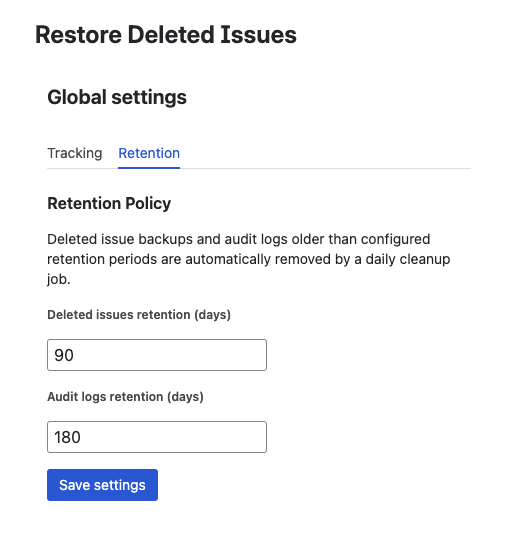
Change either value and click Save. The new period takes effect from the next daily cleanup.
How automatic cleanup works
Cleanup runs automatically once per day. It removes:
- Deleted issue records older than the configured retention period
- Audit records older than the configured audit retention period
Cleanup is permanent and irreversible. Once a record is removed, it cannot be recovered from within the app. If you need to keep a snapshot longer, increase the retention period before it expires.
Choosing the right retention period
| Scenario | Recommended deleted record retention |
|---|---|
| Compliance requirement (SOX, HIPAA, GDPR, ISO) | 180–365 days |
| Standard team with occasional accidental deletions | 90 days (default) |
| High-volume project with frequent cleanup activities | 30–60 days |
| Active development or testing environments | 30 days |
For audit records, longer retention is generally better — audit logs are small and serve as compliance evidence.
When in doubt, use a longer retention period. The cost of keeping records longer is low; the cost of losing a snapshot you still needed is high.
Retention countdown in the detail view
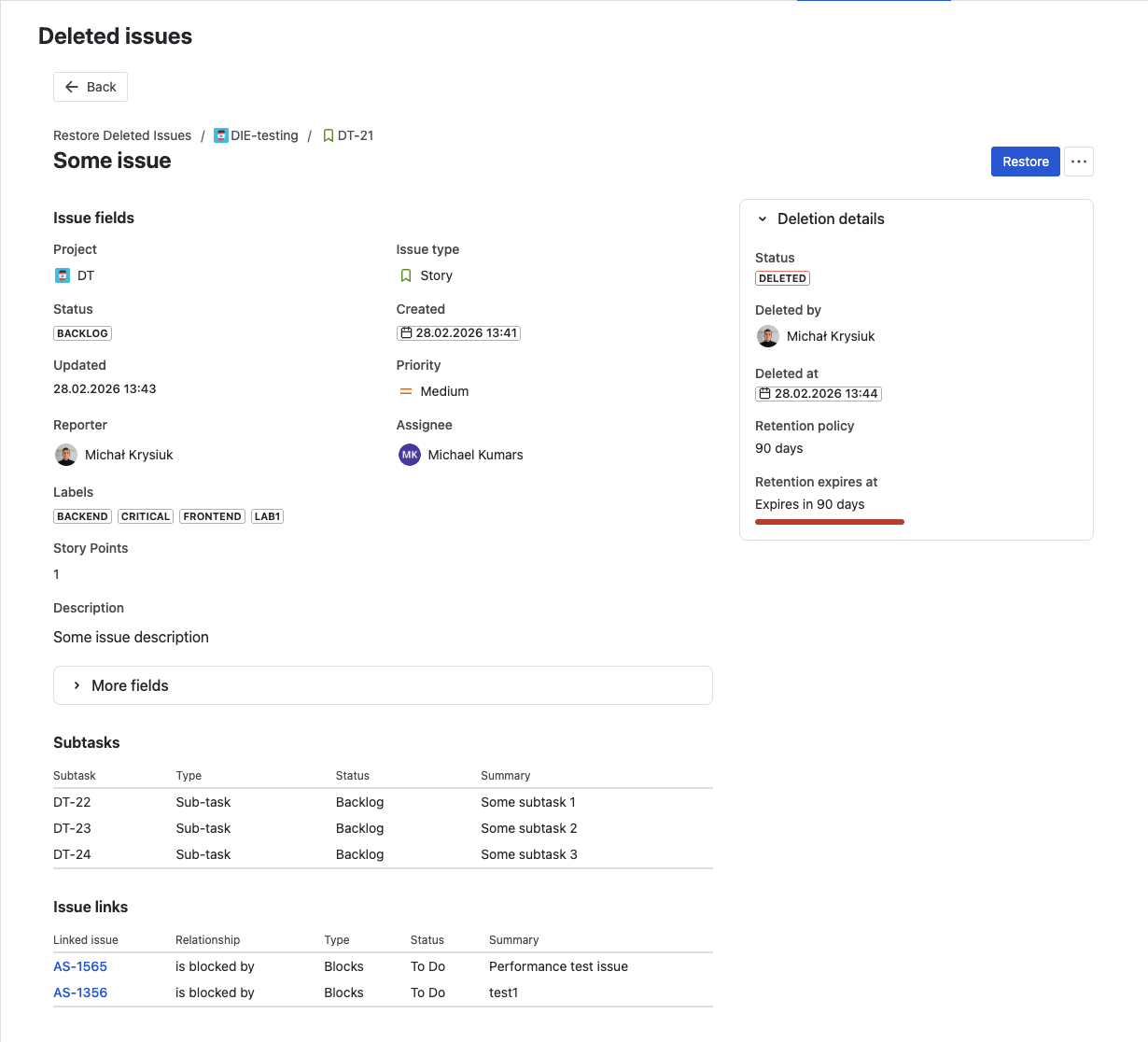
Each deleted issue record shows a retention countdown in the detail view — the exact date and time when the record will be automatically removed. This gives you visibility into which records are about to expire and need immediate attention.
What's next?
- Tracked Projects — manage which projects are protected
- Audit Trail — audit records have their own configurable retention
- Browse Deleted Issues — view records before they expire