Create issue from template
Create new Jira issues automatically from an Issue Template as part of a Jira Automation rule.
This action generates fully structured issues — including child issues, subtasks, links, and attachments — every time the rule runs.
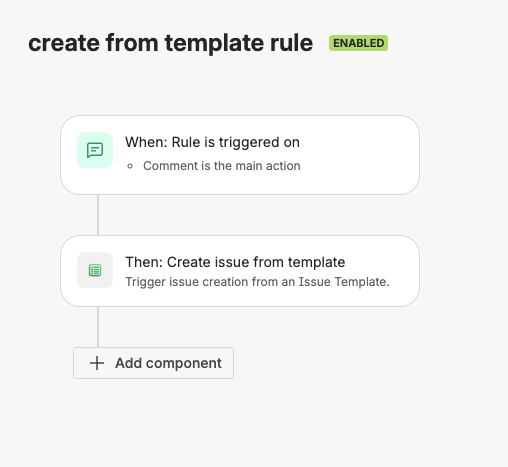
Automation rule using the Create issue from template action
Use this action when your automation needs to create new issues. To fill in or extend an issue that already exists, use Apply issue template.
What This Action Does
When executed, the Create issue from template action:
- Creates a new root issue of the template's issue type
- Puts it in the project of the issue the rule runs on; a rule without an issue, such as a scheduled rule, creates it in the template's project
- Applies the template's field values, including dynamic fields
- Creates the full issue structure (child issues, subtasks)
- Recreates all configured issue links
- Copies the template's attachments to each issue it creates
The new issue is a separate issue: it is not linked to, or placed under, the issue that triggered the rule.
Each run produces a complete, ready-to-use issue structure.
Add the Action to an Automation Rule
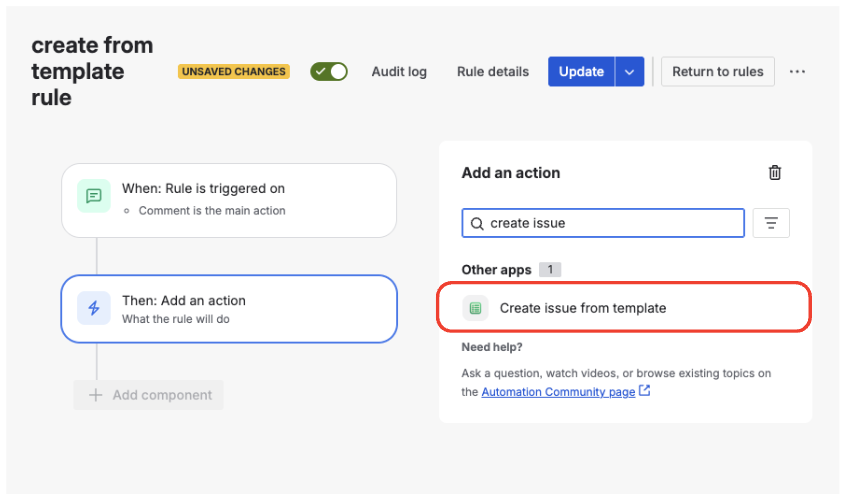
Selecting the Create issue from template action
To add the action:
Open Automation
Go to Space settings → Automation.
Create or Edit a Rule
Create a new automation rule or edit an existing one.
Add an Action
Add a new Action step to the rule.
Select the Action
Search for Create issue from template and select it. Jira lists it under Other apps.
The action will now be available as part of the rule flow.
Configure the Action
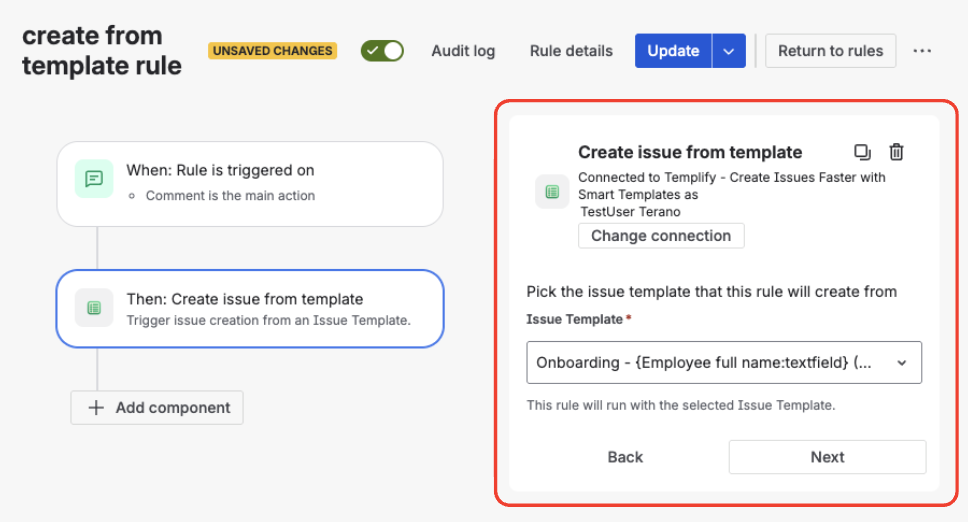
Configuring the template selection
The action has a single configuration field:
Issue Template
Select the Issue Template the rule creates issues from. The template must be available in the project the issue is created in (Template Availability); otherwise the action fails and the rule's audit log shows the error.
The selected Issue Template defines:
- All fields and default values
- Dynamic field behavior
- Child issues and subtasks
- Issue links and relationships
- Attachments
There is nothing else to set: the action always creates the template's whole structure. The action takes no smart values, so values from the rule cannot be passed into the new issue.
Execution Behavior
When the rule runs:
- A new issue is created from the template
- All template logic is applied automatically
- Dynamic fields, such as relative dates and the active sprint, are calculated at execution time
- Placeholders in the template's Summary and Description, such as
{Employee name:textfield}(dynamic text fields), are not filled in: no one sees the form that asks for them, so they appear in the new issue as written - A Current user dynamic value refers to the account the action is connected as, shown at the top of the action, not to the person who triggered the rule
Apart from the placeholders, the created issues are the same as issues created by hand from the same template.
Tracking & Visibility
Every execution of this action:
- Appears in the Usage History tab of the Issue Template
- Shows when the template was used and which issues were created
- Allows quick navigation to all generated issues