Use on the JSM Portal
File Field also works on the Jira Service Management customer portal, so customers can work with files without Jira access.
There are two places a customer meets the field:
- The request form, while they are raising a request — where they attach the files the service desk needs.
- The request view, after the request is sent — where they open, download, and check the files on it.
For either to happen, an administrator needs to have added the field to the request type's form. See Add the Field to a Project.
On the request form
File Field is a standard Jira custom field, so it behaves the same on the JSM portal as anywhere else. To make it available to customers, add it to the request type's form in the same way you would for any other custom field — no portal-specific configuration is needed.
Once it's on the form, it looks and works exactly as it does on a regular Jira issue: customers see the same drop zone, the same upload rules apply (allowed types, file count, file size), and files are stored inside Atlassian just like any other attachment.
A customer can also open a file they've just attached — before the request is even submitted — to check they've picked the right one. See Preview Files Without Downloading.
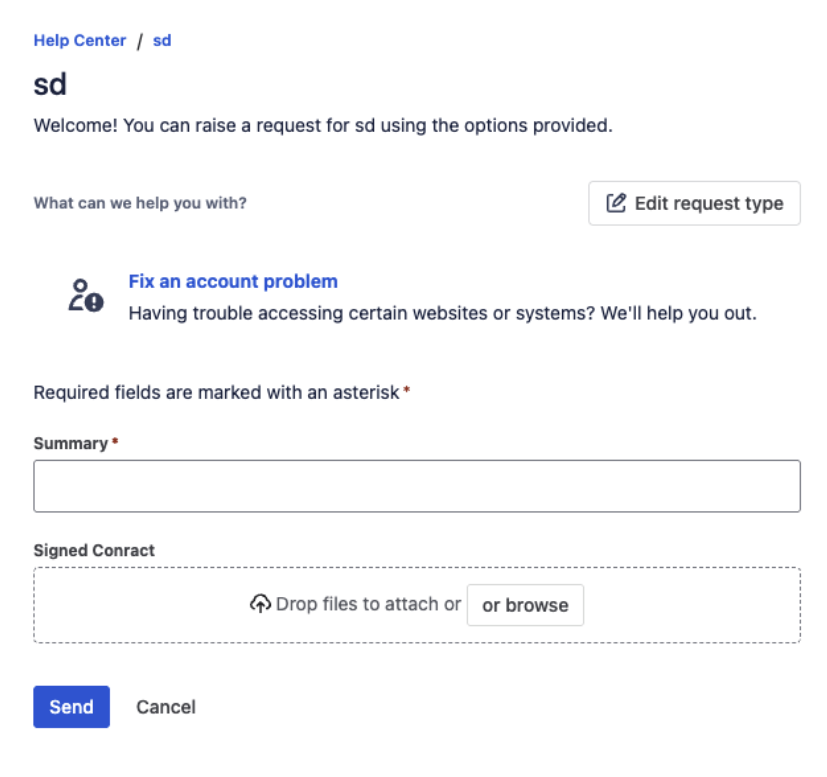
The field on a JSM portal request form — customers get the same drop zone, no Jira access needed
What customers can read before they submit
If an administrator has published reference documents on the field, they appear on the portal form itself — so the request template, the checklist, or an example of a complete submission is in front of the customer before they attach anything.
On a request you have already sent
Opening a request from Requests in the portal shows the same File Field among the request details, with the files that are on it. Each one carries its name, type, and size, and two actions: open it in place, or download a copy. A PDF, an image, a spreadsheet, or a log reads in the preview without leaving the portal — see Preview Files Without Downloading.
This is also where a customer picks up what the service desk sends back: any file an agent adds to the field on the issue — a signed document, a report, a corrected form — appears on the request view for them to read or download.
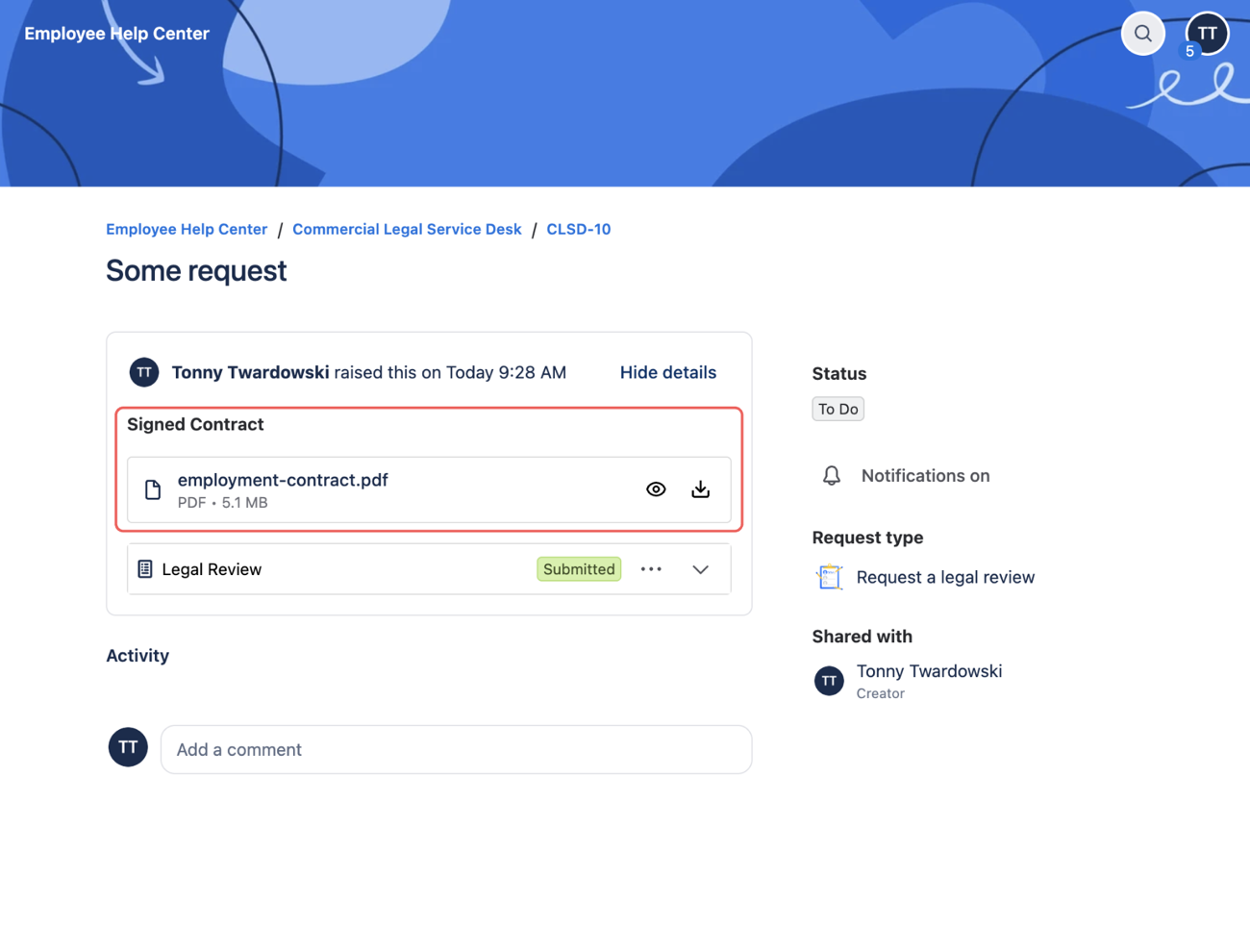
The same field on a request that has already been sent — the customer can preview or download each file
What agents see
When an agent opens the request in the Jira issue view, the files the customer attached appear on the same File Field, each with its name, type, and size and the usual Download and Delete actions. Agents can add more files to the field too — subject to the same upload rules and their Jira permissions.
Agents can also open a customer's file straight from the field on the issue, without downloading it first — read a whole PDF, search a log the customer attached, or step through several files with the arrow keys. See Preview Files Without Downloading.
What's next?
- Attach, Download & Delete Files — the everyday actions on the field
- Preview Files Without Downloading — open a customer's file in place
- Data & Security — how access follows Jira permissions
- Read Reference Documents — the templates and procedures shown on the form