Data & Security
File Field is built so your files stay inside Atlassian and access always follows your existing Jira permissions. There is no separate account to manage, no external storage to secure, and no third party holding your data. This page explains what that means for your team and for compliance.
Files stay inside Atlassian
Every file you attach is stored on Atlassian's own infrastructure, alongside the rest of your Jira data. Uploads and downloads happen directly with Atlassian over secure, time-limited links — nothing is ever sent to an external server or third-party service, and File Field keeps no copy of your files anywhere else.
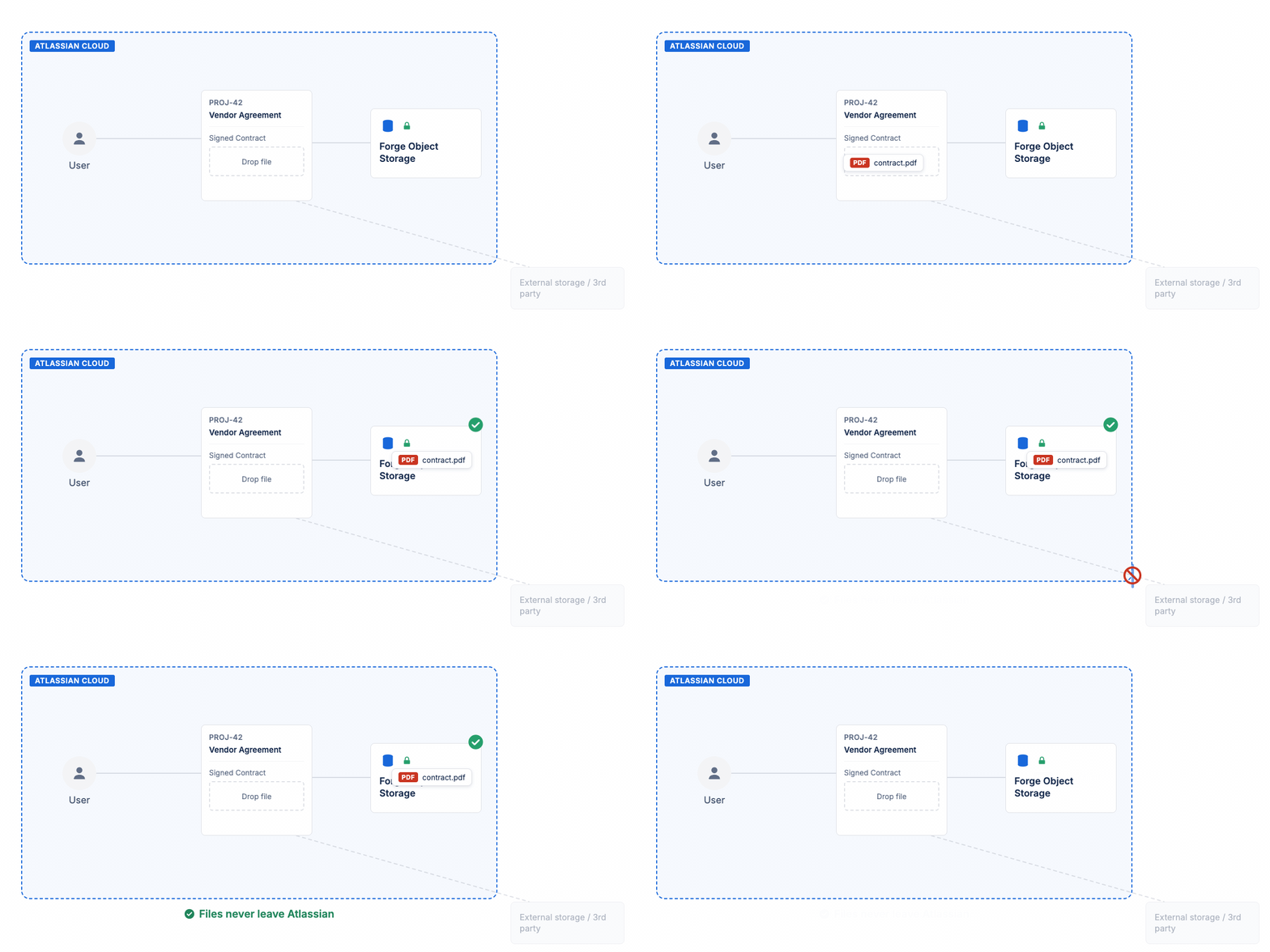
Files travel from the issue straight to storage inside Atlassian Cloud — never to an external service
For your team this means:
- No new data location to govern — files live in the same Atlassian cloud as your issues, so your existing data-residency and retention posture covers them too.
- No external accounts or storage to secure — there is no separate vendor bucket, API key, or login that could leak or be misconfigured.
- Nothing leaves Atlassian — the app makes no outbound calls to external services with your file contents.
Permission-aware access
File Field never grants access on its own. Every upload, preview, download, and delete is authorized on the server against the current user's Jira permissions for the issue in question:
| Action | What Jira permission it requires |
|---|---|
| Attach a file to an existing issue | Edit Issue |
| Attach a file on the create-issue form | Create Issue |
| Preview a file | Browse Project — the same check as a download |
| Download a file | Browse Project (and the file must belong to that issue) |
| Delete a file | Edit Issue (and the file must belong to that issue) |
Two principles back this up:
- Access follows the issue. A file can only be reached through the issue it belongs to. If you cannot see an issue, you cannot download its files — there is no way to reach a file across issues or outside your permissions.
- Fail-closed by default. If a permission check cannot be completed for any reason, the action is blocked rather than allowed. The safe outcome is the default.
Because access is evaluated live against Jira every time, you don't manage a second set of permissions. Change someone's project role in Jira and their access to the files changes with it.
What this means for compliance
File Field is designed to keep the compliance story simple:
- Data stays in the Atlassian cloud — the same boundary you've already assessed for Jira covers your attached files, with no extra vendor in scope.
- Access mirrors Jira — there is no parallel permission model to audit; if a person can act on the issue, they can act on its files, and not otherwise.
- No third-party processor — because nothing is sent outside Atlassian, there is no external data processor to add to your records or vendor reviews.
- Native and minimal — File Field runs as a native Atlassian app with a small footprint and no external network access for your file data.
What's next?
- FAQ — quick answers on storage, limits, and permissions
- Make the Field Required — enforce that issues carry the files they should