Jira JQL for Time Tracking: Query Estimates, Logged Work & Remaining
Jira JQL time tracking covers more ground than most admins realise — six native fields, four time functions, and a completely separate set of aliases the moment you add custom fields. This post is a copy-paste cheatsheet covering native fields AND custom time tracking fields, with 15 ready-to-run queries you can drop straight into Jira's issue navigator or a saved filter.
Every query below has been verified against Jira Cloud's JQL grammar. The custom-field queries require Time Tracking Fields for Jira for the JQL aliases to exist.
TL;DR
Native Jira JQL gives you originalEstimate, timeSpent, remainingEstimate, and workRatio — but only one time tracking bucket per issue, and you can't compare two fields. Jump to the 15-query cheatsheet or the custom-field JQL for separate dev / QA / SLA time.
Native Jira JQL time tracking fields (quick reference)
Jira's JQL time tracking support is built around six fields that map directly onto the native Time Tracking system: four numeric/ratio fields and two worklog-metadata fields that let you filter by author, date, and comment text.
| What you want | JQL field | Format | Example |
|---|---|---|---|
| Original estimate | originalEstimate | w d h m units | originalEstimate >= 1d |
| Time logged | timeSpent | w d h m units | timeSpent > 4h |
| Remaining estimate | remainingEstimate | w d h m units | remainingEstimate <= 2h |
| % of estimate used | workRatio | integer percent | workRatio > 100 |
| Who logged work | worklogAuthor | user | worklogAuthor = currentUser() |
| When work was logged | worklogDate | date / functions | worklogDate >= startOfWeek() |
| Worklog note text | worklogComment | text (~) | worklogComment ~ "blocked" |
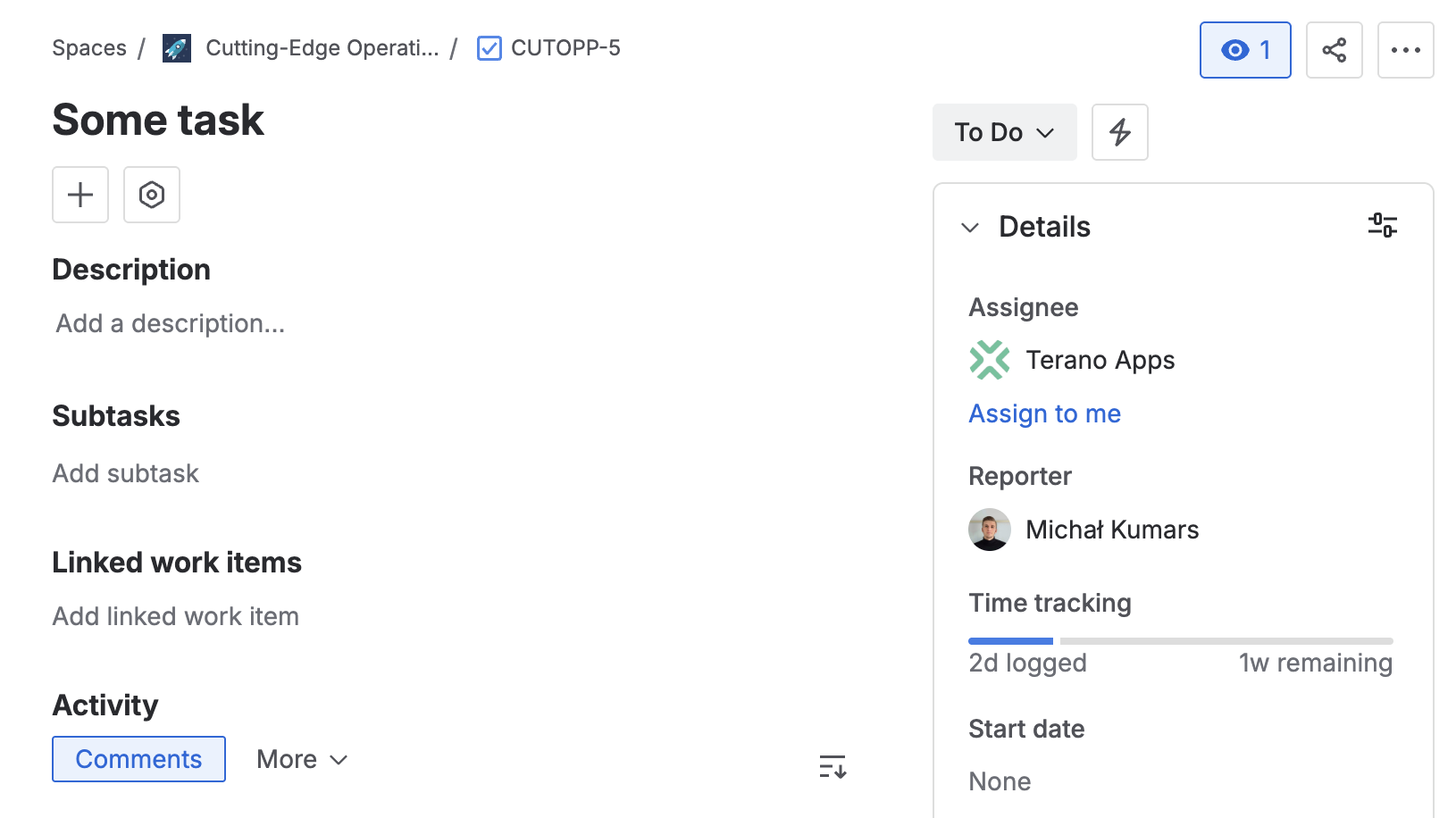
The three duration fields accept Jira's standard time notation — w (weeks), d (days), h (hours), m (minutes) — and combinations like 1d 4h. Jira normalises based on the global "hours per day" and "days per week" settings, so 1d may mean 7, 7.5, or 8 hours depending on your instance.
What JQL can — and can't — do with native time tracking
Understanding the ceiling of native Jira JQL time tracking queries saves a lot of debugging time.
(a) One bucket per issue. timeSpent is a single aggregate total — every worklog from every contributor accumulates in the same number. There is no way to ask "how much of timeSpent was logged by the dev team" with native JQL.
(b) No field-to-field comparison. timeSpent > originalEstimate is invalid JQL. Use workRatio > 100 instead — Jira computes it internally as (timeSpent / originalEstimate) * 100 and stores it as an integer.
(c) No aggregation across issues. JQL returns a list of matching issues; it does not sum timeSpent across them. Totalling time across a sprint or project is a job for a dashboard gadget or CSV export, not JQL.
The cheatsheet: 15 Jira JQL time tracking queries every admin needs
All 15 queries use only native Jira fields. Copy any of them directly into the Jira issue navigator's Advanced search (JQL mode).
Estimates
Audit estimation discipline: find issues with estimates set, issues with large estimates, and open work that has never been estimated.
-- 1. Issues that have an original estimate
originalEstimate is not EMPTY

-- 2. Large estimates (one day or more)
originalEstimate >= 1d

-- 3. Open work with no estimate yet
originalEstimate is EMPTY AND statusCategory != Done
Logged work (time spent)
Surface where work has been logged, how much, and by whom — useful for weekly reporting and time-logging compliance checks.
-- 4. Any work logged
timeSpent is not EMPTY

-- 5. Heavily worked issues (more than 8h)
timeSpent > 8h

-- 6. Work logged this week
worklogDate >= startOfWeek() AND worklogDate <= endOfWeek()

-- 7. My worklogs in the last 7 days
worklogAuthor = currentUser() AND worklogDate >= -1w

-- 8. Time logged in a project this month
project = OPS AND worklogDate >= startOfMonth()
Remaining & at-risk
Find issues approaching a deadline with time remaining, issues that consumed their estimate but aren't done, and estimated issues where work hasn't started.
-- 9. Work remaining and due this week
remainingEstimate > 0 AND due <= endOfWeek() AND statusCategory != Done

-- 10. No time left but the issue is not done
remainingEstimate = 0 AND statusCategory != Done

-- 11. Estimated but nothing logged yet
originalEstimate is not EMPTY AND timeSpent is EMPTY
Over-estimate detection (workRatio)
workRatio is Jira's proxy for "over estimate" since direct field comparison is impossible. It returns -1 when no original estimate exists, distinguishing "over budget" from "never baselined".
-- 12. Over the original estimate
workRatio > 100

-- 13. Approaching or over budget, still open
workRatio >= 80 AND statusCategory != Done

-- 14. No estimate baseline (workRatio cannot be computed)
workRatio = -1
Audit & worklog notes
Worklog comments are searchable with ~ (contains). Useful for post-incident reviews, billing audits, or surfacing blocked time.
-- 15. Worklog notes mentioning a keyword, this month
worklogComment ~ "blocked" AND worklogDate >= startOfMonth()
Why native JQL treats time tracking differently from custom fields
Native Jira time tracking is a system-level feature designed around a single model: one issue, one estimate, one pool of worklogs. That works well when every story is a homogeneous unit of work. It falls apart the moment you need to measure different kinds of effort separately — development vs QA, billable vs internal, SLA response time vs resolution effort. Native JQL's timeSpent absorbs them all into one number.
For background on the full architecture, see the complete guide to Jira time tracking for admins. For the options available when you need a second or third time tracking field, see how to add custom time tracking fields to Jira Cloud.
JQL with custom time tracking fields (multiple buckets)
When you install Time Tracking Fields for Jira, each custom field exposes its own set of JQL aliases derived from the field name. Each Time Tracking field gives you six aliases; each Duration field gives you two.
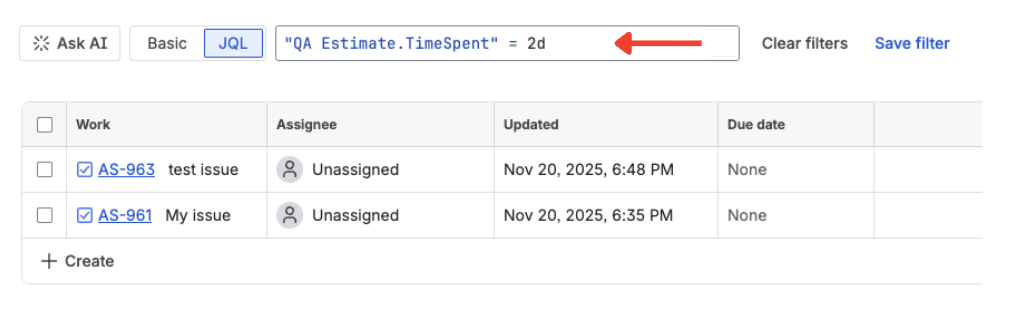
For a Time Tracking field named "QA Estimate", the six aliases are:
- Numeric (seconds):
"QA Estimate.OriginalEstimateSeconds","QA Estimate.TimeSpentSeconds","QA Estimate.RemainingEstimateSeconds" - Formatted string:
"QA Estimate.OriginalEstimate","QA Estimate.TimeSpent","QA Estimate.RemainingEstimate"
For a Duration field named "SLA Limit", the two aliases are "SLA Limit.DurationSeconds" and "SLA Limit.Duration". The same pattern applies to any field name you configure.
Unlike native JQL, the app's *Seconds aliases can be compared field-to-field within the same custom field — "Dev Estimate.TimeSpentSeconds" > "Dev Estimate.OriginalEstimateSeconds" is valid, something that is impossible with native timeSpent and originalEstimate.
-- Separate QA effort: QA logged but none remaining
"QA Estimate.TimeSpentSeconds" > 0
AND "QA Estimate.RemainingEstimateSeconds" = 0

-- Dev over its OWN estimate (custom fields CAN compare their own aliases)
"Dev Estimate.TimeSpentSeconds" > "Dev Estimate.OriginalEstimateSeconds"
AND "Dev Estimate.OriginalEstimateSeconds" > 0

-- Duration field: SLA breaches over 4 hours (14 400 seconds)
"SLA Limit.DurationSeconds" > 14400
For a practical walkthrough of using multiple time tracking fields together on a single issue — covering dev, QA, SLA, and contract time — see multiple time tracking fields on one Jira issue.
Turn queries into saved filters, dashboards & automation
The queries above are most useful when they're always available — saved as filters, powering dashboard gadgets, or running inside automation rules.
Save the JQL as a filter
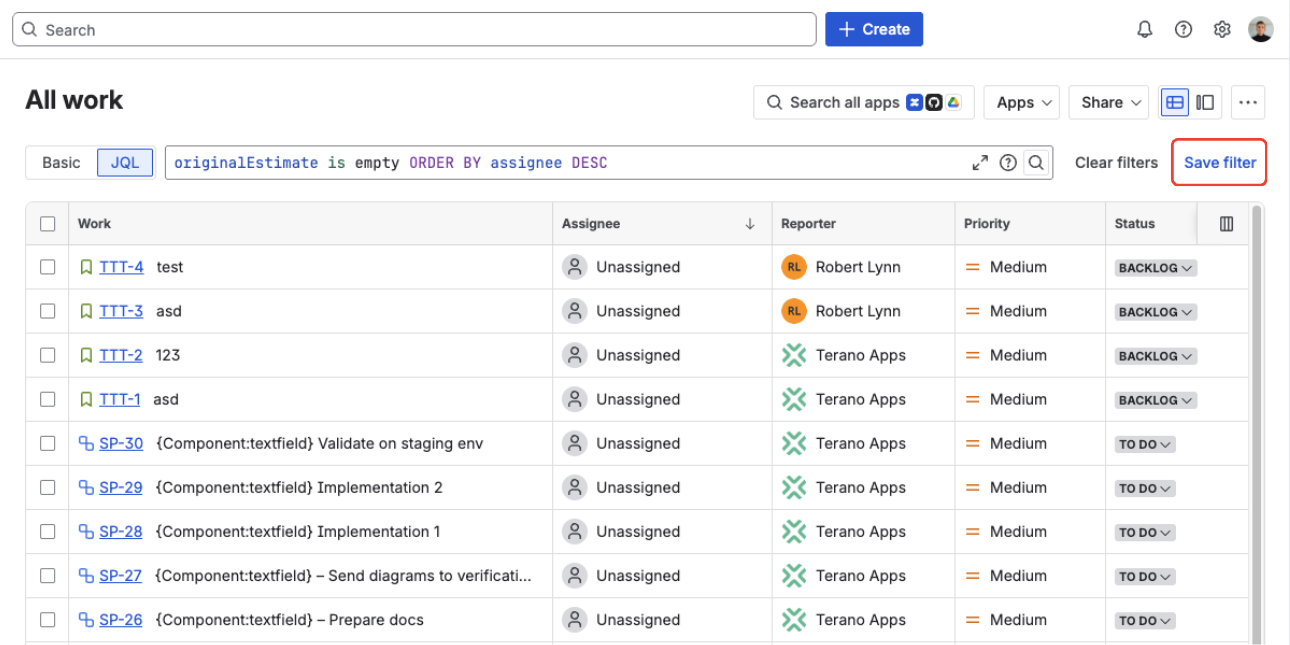
In Jira's issue navigator, run any of the queries above, choose Save filter, and give it a descriptive name such as "Open work with no estimate" or "Over-budget issues this sprint". Share the filter with your team or subscribe to email updates on a schedule. Saved filters are the foundation of every dashboard gadget and automation condition.
Drop the filter into a dashboard gadget
Any saved filter can power a Jira dashboard gadget — Filter Results shows matching issues in a table, while Two-Dimensional Filter Statistics groups them by field. The app also ships a dedicated Team time gadget that shows time logged per user for any Time Tracking custom field over presets like This week, Last week, or Last 30 days. See the full reporting docs for setup details.
Reuse the JQL as an automation condition
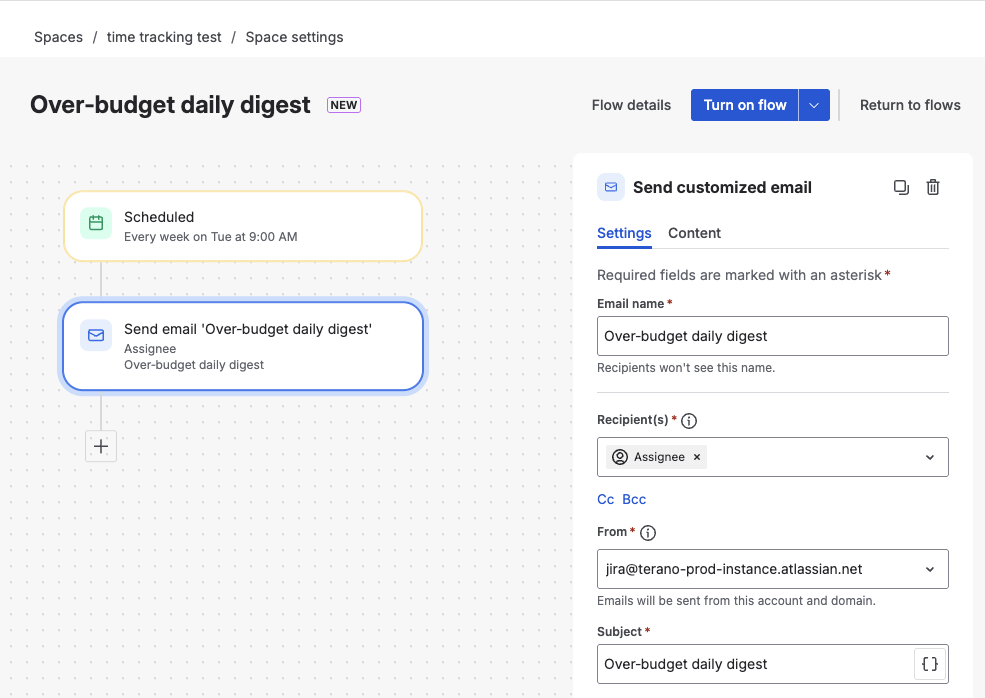
In Jira Automation, a JQL condition gates whether a rule fires. A scheduled rule can find all issues where workRatio >= 80 AND statusCategory != Done and notify the assignee every morning. For custom Time Tracking fields, always use the numeric *Seconds aliases — they give exact comparisons without text parsing. For a real-world example, see require time to be logged in Jira before moving issues forward.
FAQ
How do I query time logged in Jira with JQL?
Use the timeSpent field — for example timeSpent > 4h returns issues with more than four hours logged. timeSpent is the aggregated total of every worklog on the issue. To filter by who logged or when, combine it with worklogAuthor and worklogDate, e.g. worklogAuthor = currentUser() AND worklogDate >= startOfWeek().
What is workRatio in Jira JQL?
workRatio is the percentage of the original estimate that has been used: time spent divided by original estimate, times 100, rounded to an integer. workRatio > 100 means the issue is over its original estimate. When an issue has no original estimate Jira sets workRatio to -1, so workRatio = -1 finds unbaselined issues.
Can I compare original estimate against time spent in JQL?
Not directly — native JQL cannot compare one field to another, so timeSpent > originalEstimate is invalid. Use workRatio > 100 instead. With custom Time Tracking fields you can compare a field's own seconds aliases, e.g. "Dev Estimate.TimeSpentSeconds" > "Dev Estimate.OriginalEstimateSeconds".
How do I find Jira issues that are over their estimate?
Query workRatio > 100. To catch issues that are open and already over budget, add AND statusCategory != Done.
Why can't I query separate dev and QA time with native Jira JQL?
Native Jira has a single time tracking bucket per issue, so timeSpent mixes all logged work together. To query dev, QA, SLA, or contract time separately you need dedicated custom time tracking fields, each exposing its own JQL aliases such as "QA Estimate.TimeSpentSeconds".
Query every kind of time in Jira — not just one bucket
Multiple Time Tracking and Duration fields with clean, JQL-ready second-based aliases. Free trial on the Atlassian Marketplace.
Start free trial on Marketplace