Jira Multiple Time Tracking Fields: Separate Dev, QA, SLA, and Contract Time on One Issue
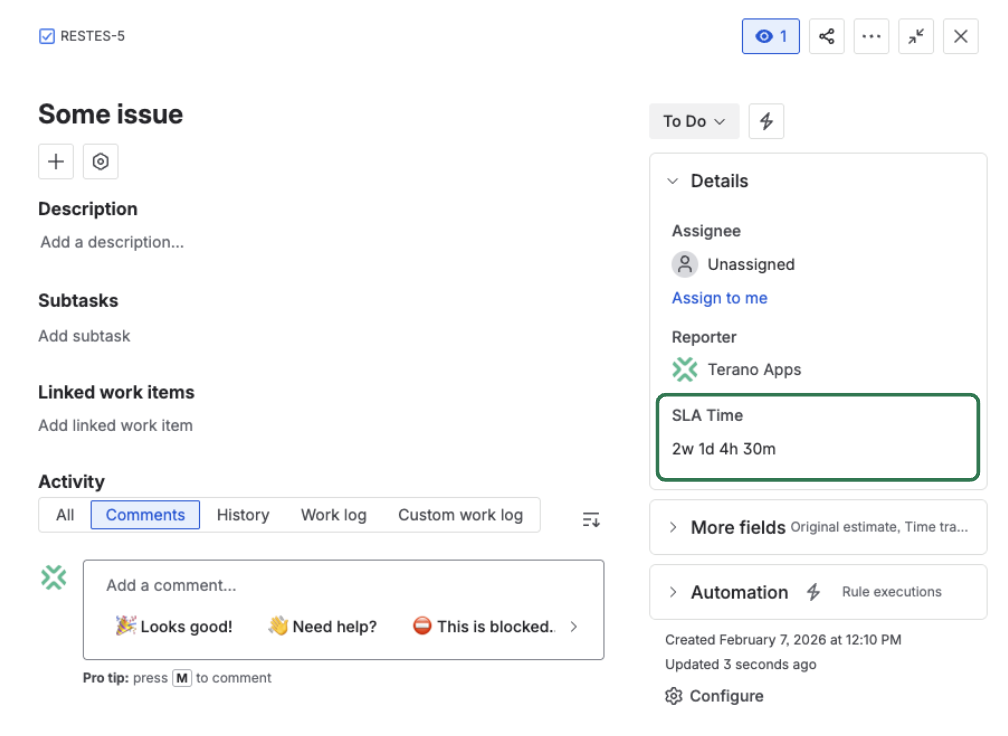
Standard Jira time tracking is single-bucket. Many teams need separate views for Dev, QA, SLA, and contract work on the same issue.
When everything is forced into one time field, reporting and operational ownership become blurred.
Where single-field tracking breaks
Typical symptoms:
- engineering and QA time cannot be compared cleanly,
- SLA and contract work mix with internal effort,
- dashboards require manual interpretation,
- automation cannot target the right time budget.
Core shift
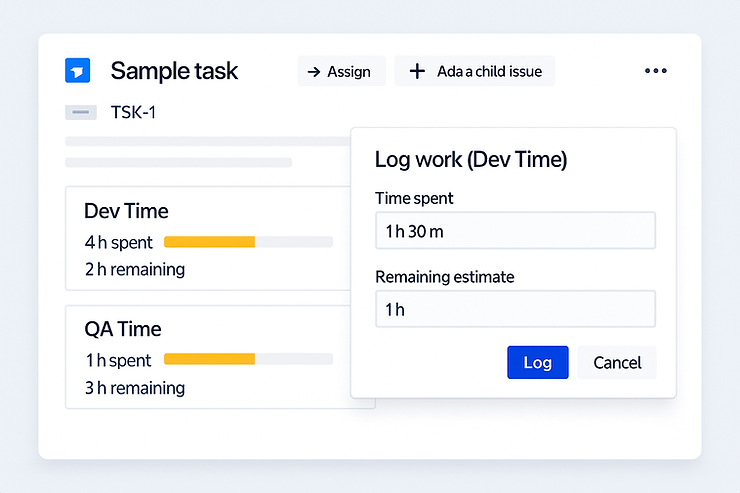
Move from one mixed time bucket to multiple Jira-style time fields, each with separate original, spent, and remaining values.
What multiple Jira-style time fields enable
Clear ownership per function
Keep Dev Time, QA Time, and SLA Time independent so each team tracks its own commitment.
Cleaner billing logic
Separate contract-facing time from internal work on the same issue without external spreadsheets.
Native issue workflow
Users still log time in familiar Jira patterns, only now into the correct bucket.
Actionable operations data
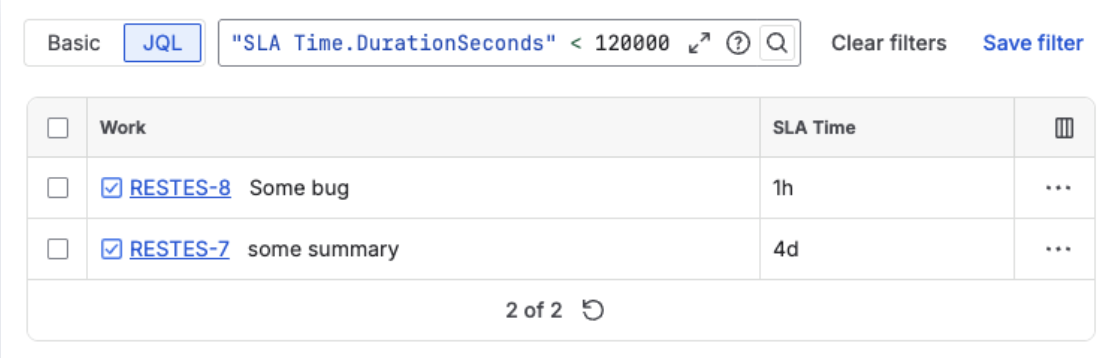
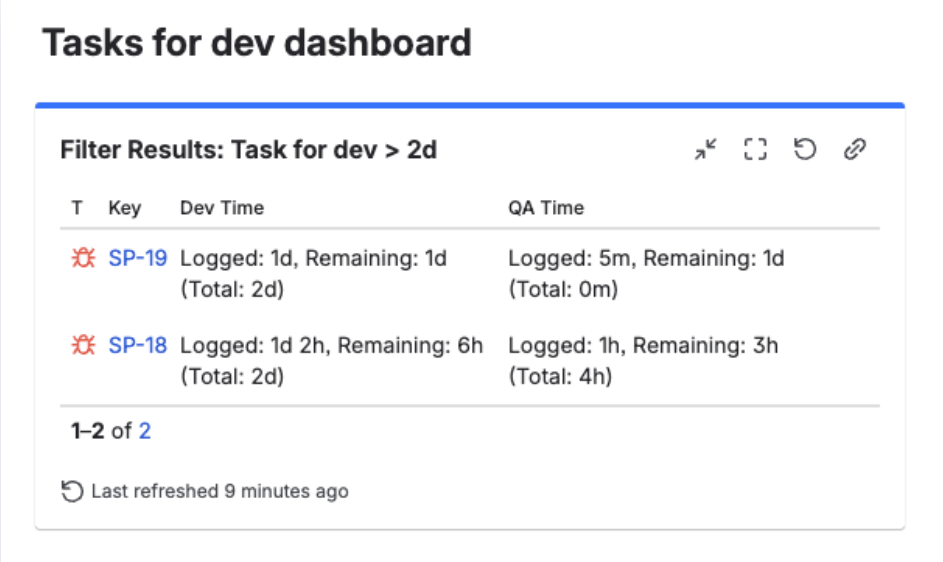
Use dedicated fields directly in filters, dashboards, and rules.
Search and reporting become first-class
With separate time fields, teams can build precise queries and views without parsing comments or manual tags.
Practical setup flow
Define required buckets
Choose the minimum set that reflects real ownership, such as Dev, QA, SLA, and Contract.
Add fields to issue layouts
Expose fields where teams log and review time so usage is immediate and visible.
Wire filters and dashboards
Update saved filters, boards, and reporting gadgets to use the new dedicated time buckets.
Where this model is most useful
- product teams separating build and test effort,
- support teams tracking SLA budget separately,
- agencies separating billable and internal time,
- PMO teams needing clean per-bucket portfolio reporting.
Useful links:
Add multiple Jira-style time buckets to one issue
Track Dev, QA, SLA, and contract time independently while keeping search, dashboards, and automation aligned.
Start trial on Marketplace