Dynamic Forms in Jira: Show, Hide & Require Fields by Context
A dynamic form in Jira is one whose fields react to context — they show, hide, become required, or go read-only depending on the issue type and what the user has already entered. Native Jira field configuration is static, so most teams reach for scripts. This guide shows how dynamic forms actually work in Jira Cloud, what native configuration can and cannot do, and how to build context-aware forms without ScriptRunner.
TL;DR
Native Jira field configuration is static — a field is shown, hidden, or required the same way for every issue of a type, with no reaction to other field values. Dynamic forms add rules: if Issue Type is Bug, show Root Cause; if Priority is Highest, require an Approver. You can approximate this with ScriptRunner Behaviours (code) or build it no-code with Formify. Jump to building dynamic forms without ScriptRunner.
What are dynamic forms in Jira?
A dynamic form is a Jira issue form whose fields change based on context — the issue type, the project, or the value of another field. Instead of one fixed layout, the form adapts as the user fills it in: irrelevant fields disappear, conditionally important fields become required, and reference fields can be locked read-only.
Four rule types cover almost every dynamic-form need:
- Show / hide — reveal or remove a field based on issue type or another field's value, to keep the form short and relevant.
- Require conditionally — make a field mandatory only when it actually matters, instead of forcing it on every issue.
- Read-only — display a value but prevent edits when a condition holds, useful for automation-fed or role-reserved fields.
- Limit options — filter a dropdown's choices by context so people only see the values that are valid right now.
Why Jira's native field configuration isn't enough
Jira does have a built-in mechanism: field configuration schemes. Per issue type, you can hide a field or mark it required. For coarse differences — Bugs need a different layout than Stories — this is genuinely useful, and you should keep using it.
Where it stops:
- No reaction to field values. You can require Approver on every Change, but not "only when Priority is Highest".
- Static per issue type. The layout is fixed the moment the issue type is chosen; it can't adapt as the user types.
- No read-only field by context. A field is on the Edit screen or it isn't, in every status. A status property can freeze a whole work item, but not one field while the rest stays editable.
- No transition-level shaping. Workflow validators fire too late (on submit) and can't change the form a user sees.
| Capability | Native field configuration | Dynamic forms |
|---|---|---|
| Show / hide by issue type | Yes | Yes |
| Show / hide by field value | No | Yes |
| Conditionally required | No | Yes |
| Read-only by context | No | Yes |
| Limit dropdown options by context | No | Yes |
Native configuration sets the baseline layout. Dynamic forms add the if this, then that layer on top.
Show or hide fields by issue type or field value
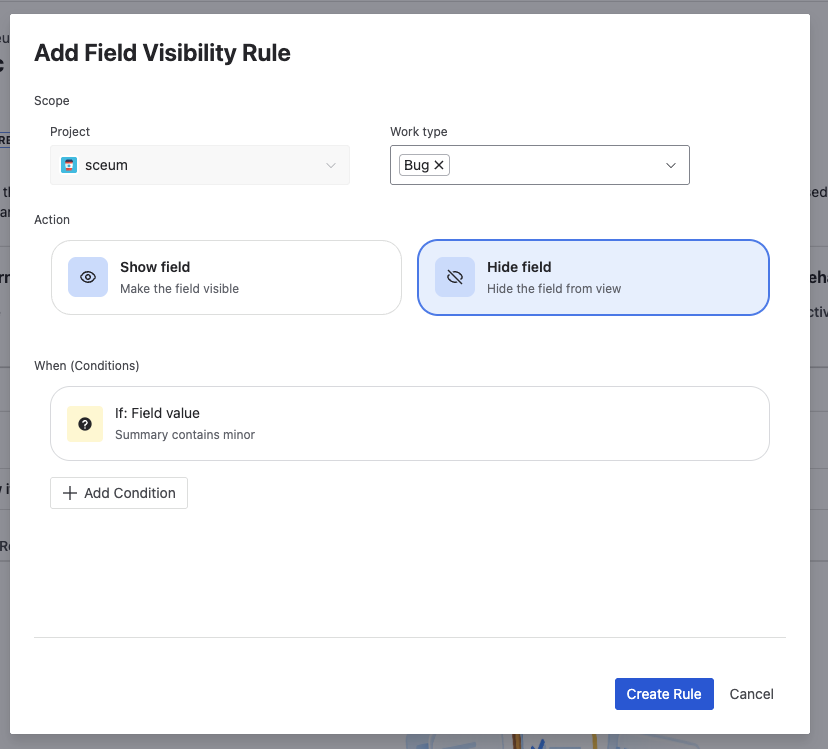
The most common dynamic-form rule keeps the form clean by hiding fields that don't apply. Hide Story Points on Bugs; reveal Root Cause only when Issue Type is Bug; show a Vendor field only when Category is "Third-party".
With a no-code app you define a condition (Issue Type equals Bug, or Category equals Third-party) and a Show or Hide action on the target field. The rule runs live on the create and edit screens, so the field appears and disappears as the user changes the trigger. The full walkthrough lives in how to show or hide fields by issue type.
Make fields required conditionally
Forcing a field to be required for every issue trains people to type junk just to get past it. Dynamic forms make a field required only when it matters: require Resolution Notes only when Status moves to Done, or require an Approver only when Priority is Highest.
Two patterns cover it:
- Required on the form — the field must be filled before the issue can be saved, but only when the condition holds. See conditional required fields.
- Required on a transition — enforce data entry at a specific workflow step without writing a workflow validator. See requiring fields on transitions.
The result is cleaner data where you need it and less friction where you don't.
Read-only fields and limiting options by context
Two more dynamic behaviours round out a context-aware form:
- Read-only fields. Show a value but prevent edits when a condition holds — useful for fields populated by automation or reserved for a specific role. Natively, a status property can freeze the whole work item, not a single field; a dynamic form can lock one field exactly when you want it locked — for example after Closed, for everyone outside one group.
- Limit dropdown options. Instead of one long list, show only the choices that are valid for the current context — filter Priority, Resolution, or a custom select by issue type or by another field's value. See how to limit dropdown options, and for the parent→child pattern — one field filtering another — dependent dropdowns and cascading selects.
Both reduce the two biggest sources of dirty data: edits that shouldn't happen, and choices that shouldn't be available.
Building dynamic forms without ScriptRunner
For years the answer to "dynamic forms in Jira" was ScriptRunner Behaviours — powerful, but you write and maintain Groovy, and every rule is code that a Jira admin has to own.
The no-code path gives you the same four rule types — show/hide, conditionally required, read-only, limit options — through a configuration UI instead of scripts. You pick a condition and an action; there is nothing to deploy and nothing to debug at runtime.
| Approach | Setup | Reacts to field values | Maintenance |
|---|---|---|---|
| Native field configuration | Config UI | No | Low (but limited) |
| ScriptRunner Behaviours | Groovy code | Yes | Code ownership |
| Formify (no-code) | Config UI | Yes | No code |
For the full decision framework — when each approach makes sense and the hidden costs of each — see native vs ScriptRunner vs no-code apps.
How to build a dynamic-form rule, step by step
Here is the whole loop, from install to a working rule, using a no-code rule builder.
Install Formify from the Marketplace
Add Formify - Dynamic Fields for Jira from the Atlassian Marketplace. It installs as a Jira Cloud app — no scripts, no external setup.
Choose the field to control
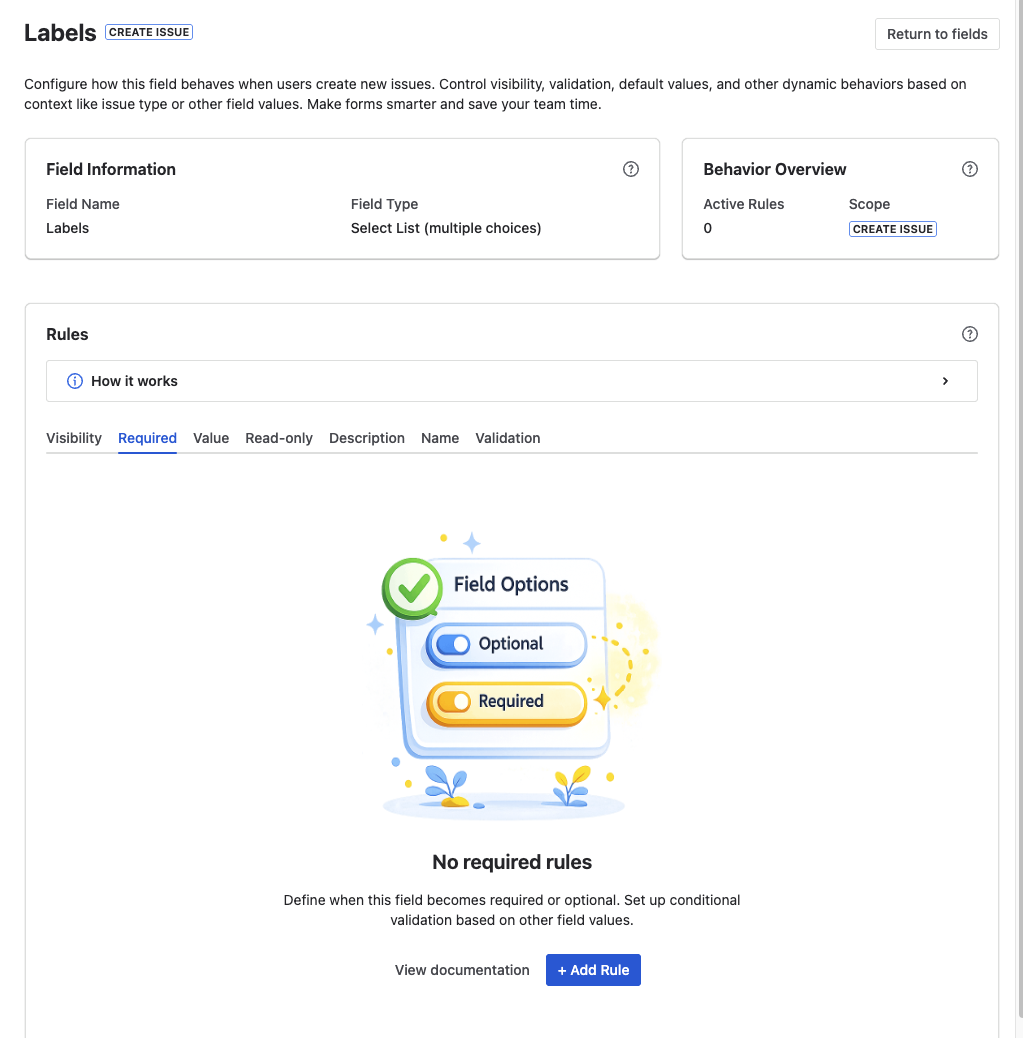
Open the configuration and pick the field whose behaviour should change — for example Root Cause or Approver.
Choose the action
Pick Show, Hide, Make Required, Read-only, or Limit Options for the controlled field.
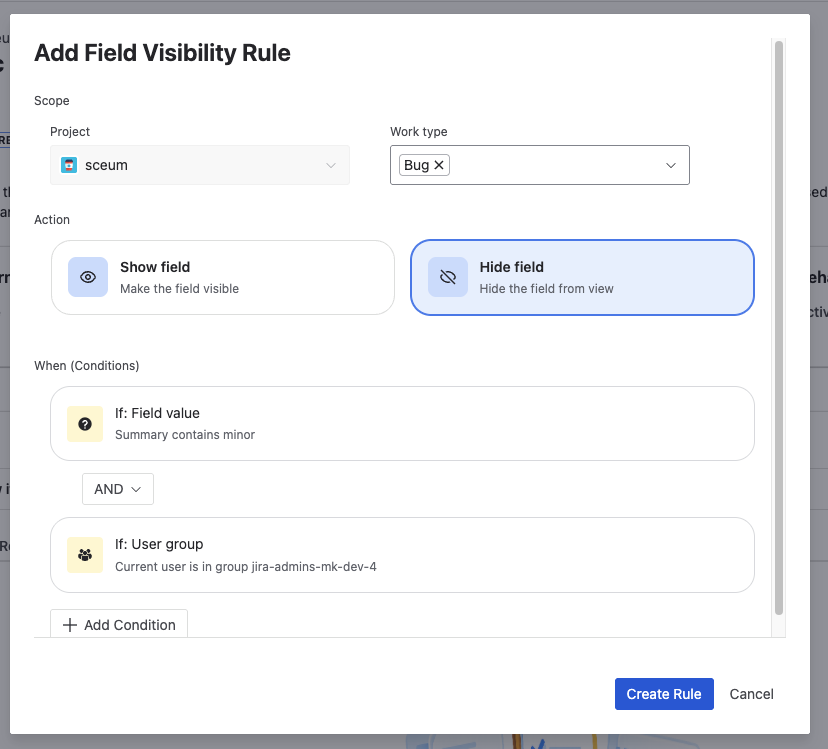
Define the condition
Set the trigger: Issue Type equals Bug, Priority equals Highest, or any other field's value.
Test on a real issue
Create an issue, or open one that matches the condition, and confirm the form reacts as configured — the field appears, locks, or becomes required. Required rules show in the create and transition dialogs, not on the issue view.
Build dynamic forms in Jira without scripts
Free trial of Formify — show, hide, require, and lock fields by context with a no-code rule builder.
Start free trial on MarketplaceFAQ
What are dynamic forms in Jira?
Dynamic forms are Jira issue forms whose fields react to context. A field can show, hide, become required, go read-only, or limit its options based on the issue type or the value of another field — instead of staying the same for every issue.
Does Jira have dynamic forms natively?
Only partly. Native field configuration schemes let you show, hide, or require a field per issue type, but they can't react to another field's value, can't make a field read-only by context, and can't change the form as the user types. For those you need ScriptRunner or a no-code app like Formify.
How do I show or hide a field based on another field in Jira?
Define a condition on the trigger field (for example Category equals Third-party) and attach a Show or Hide action to the target field. Native Jira can't do this on field value; a no-code rule builder runs it live on the create and edit screens.
Can I make a Jira field required only sometimes?
Yes. A conditionally required rule makes a field mandatory only when a condition holds — such as requiring an Approver only when Priority is Highest — and leaves it optional otherwise, so people aren't forced to fill fields that don't apply.
How do I make a Jira field read-only?
Natively, keep the field on the View screen but not on the Edit screen: it shows but can't be edited, in every status. A status property such as jira.issue.editable freezes the whole work item in one status. To lock one field only while a condition holds — a status, a group — use a dynamic form rule; see read-only after Closed, except for one group.
Can I build dynamic forms without ScriptRunner?
Yes. A no-code app such as Formify provides the same rule types — show/hide, conditionally required, read-only, limit options — through a configuration UI, so there is no Groovy to write or maintain.
What is the difference between field configuration and dynamic forms?
Field configuration is static and set per issue type. Dynamic forms add conditional logic on top: rules that react to field values, apply read-only by context, and reshape the form as the user fills it in.
Do dynamic forms work on the issue create and edit screens?
Yes, though not every rule type runs on both. In the create dialog and in transition dialogs, fields appear, hide, lock, or become required as the trigger value changes. On the issue view (Jira Software spaces), fields can appear, hide, lock, or limit their options, but can't become required. A lock there applies in the interface only: bulk edit, Automation, and the REST API can still change the field.
Make your Jira forms react to context
Formify adds show, hide, require, read-only, and limit-options rules to any field — no code. Free trial on the Atlassian Marketplace.
Start free trial on Marketplace